
Editing & captions
Your editor. With your team beside it.
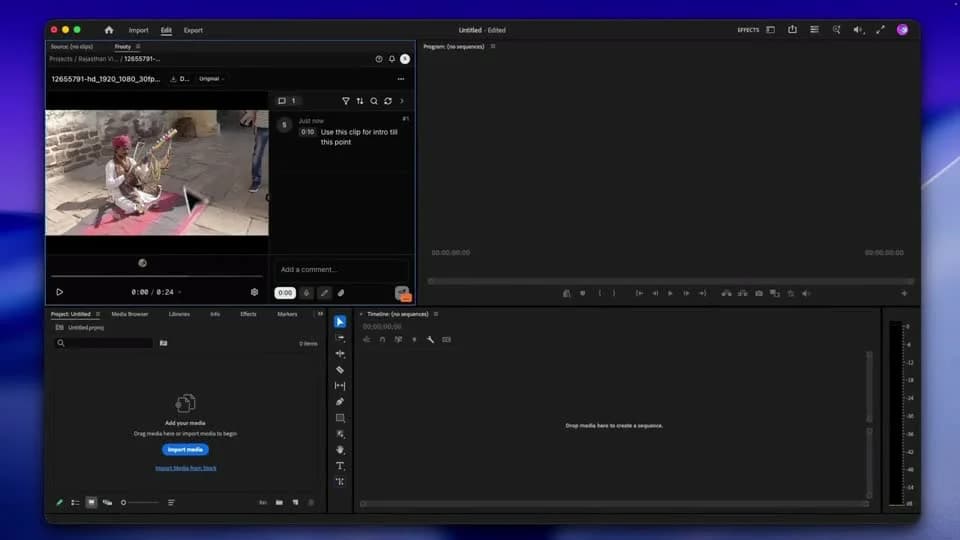
Bring Frooty into the tools you create with. Work with media, captions, and feedback alongside your edit, then bring the result back for review.
01 / WORDS WITH CHARACTER
Captions that belong in the edit.
Review the transcript, choose a caption template, and adjust its style. Use the supported delivery option for your editing workflow.
- Caption transcript editing
- Template shelf and style controls
- Editable, XML, and native caption delivery options
02 / CONNECTED TO YOUR TOOLS
Keep the tools your team knows.
Use Frooty’s Adobe panel and Resolve integration alongside your project. Final Cut Pro workflows use supported XML exports. Capabilities vary by host.
- Premiere Pro and After Effects panel
- DaVinci Resolve integration
- Final Cut Pro export workflows
03 / YOU DIRECT THE CHANGE
Ask for the edit. Review the plan.
Agent editing is in beta. With workspace access and a compatible panel, review proposed changes before they run in your editor.
- Project and review context
- Proposed actions for your approval
- Beta availability and host requirements
THE NEXT PART OF THE WORK
Keep it connected.
YOUR NEXT PROJECT STARTS HERE